← Back to Customer Resources
Google Analytics Access
To add a new user to an account/property/view:
You'll need Administrator access on the Google Analytics account already to grant access to others. If you don't see these options, ask whoever manages your account to complete these steps or to make you an Administrator first.
STEP 1
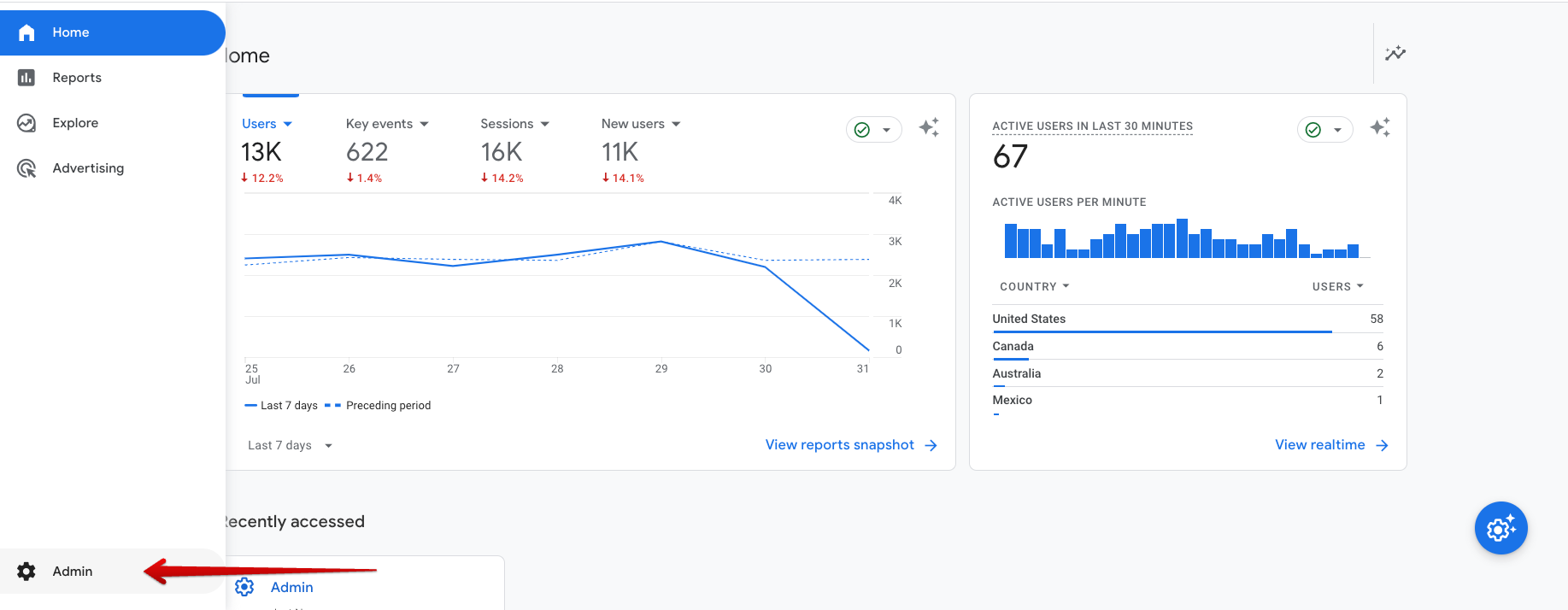
- Sign in to Google Analytics.
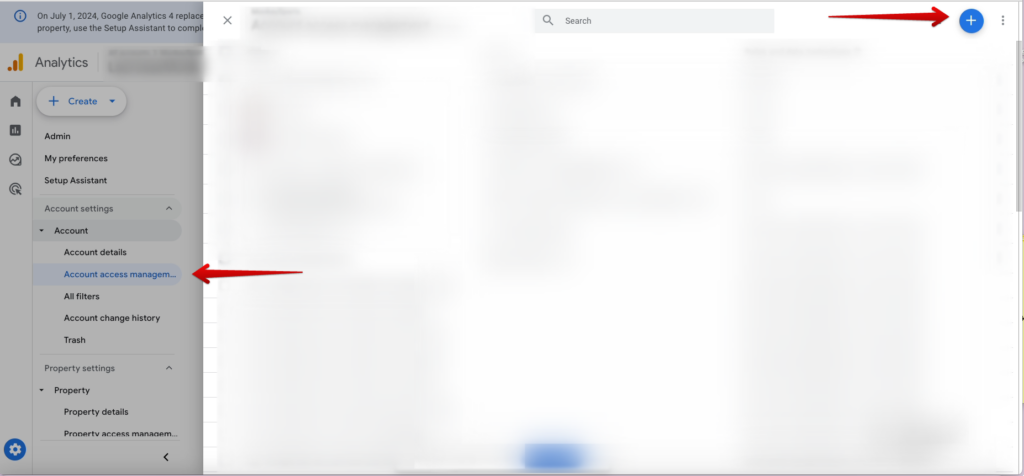
- Click Admin, and navigate to Account access management.
- Click on the blue plus sign.
STEP 2
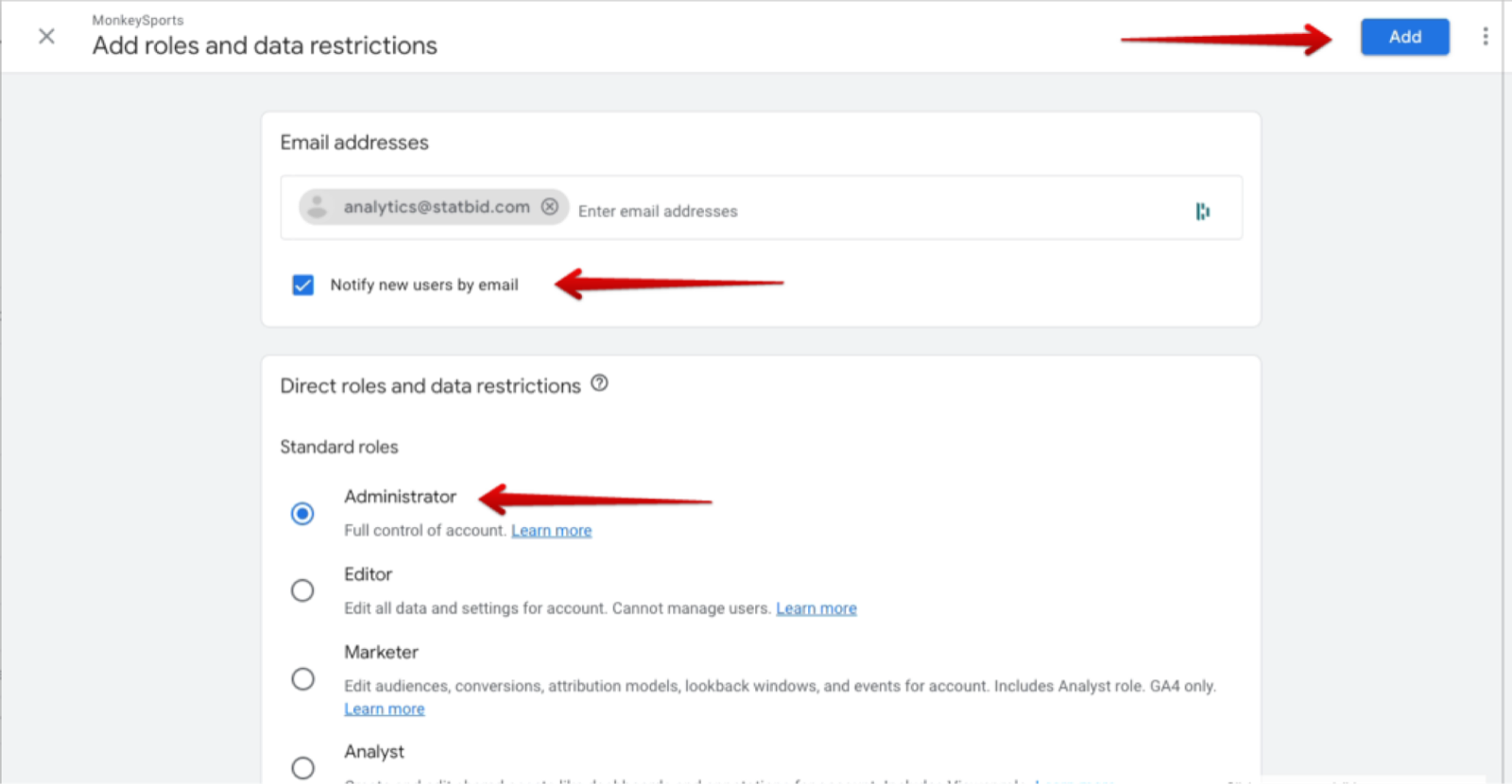
- Add the analytics@statbid.com email.
- Select Notify new users by email.
- Select the Administrator role access.
- Click Add.
Questions? Reach out to your account manager, or email analytics@statbid.com.