← Back to Customer Resources
Google Search Console Access
You'll need Full (Owner-level) access on the Search Console property to add new users. If you don't see these options, ask whoever manages your property to complete these steps.
STEP 1
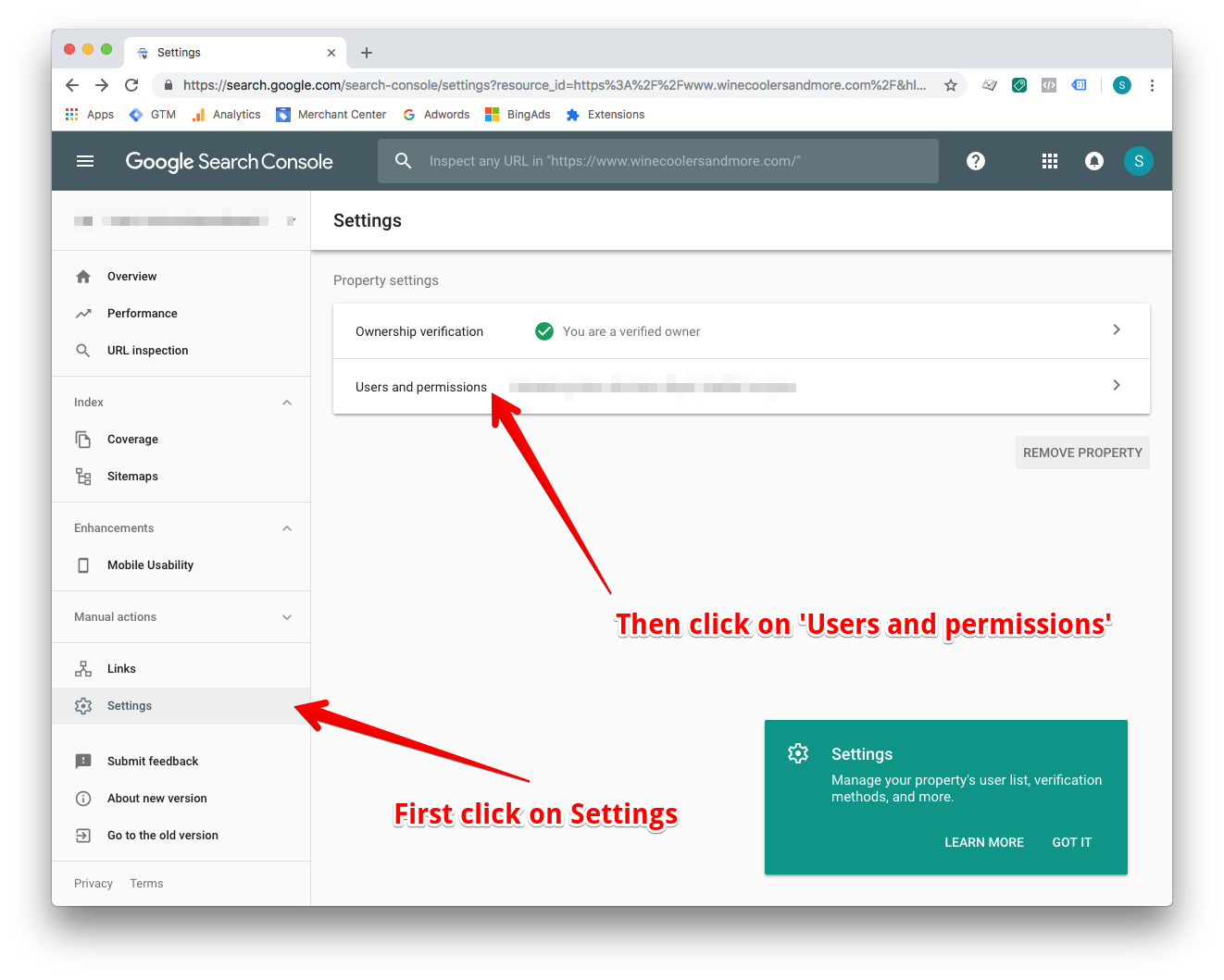
- Sign in to your Google Search Console account.
- Click on Settings in the left hand navigation, then click on Users and permissions.
STEP 2
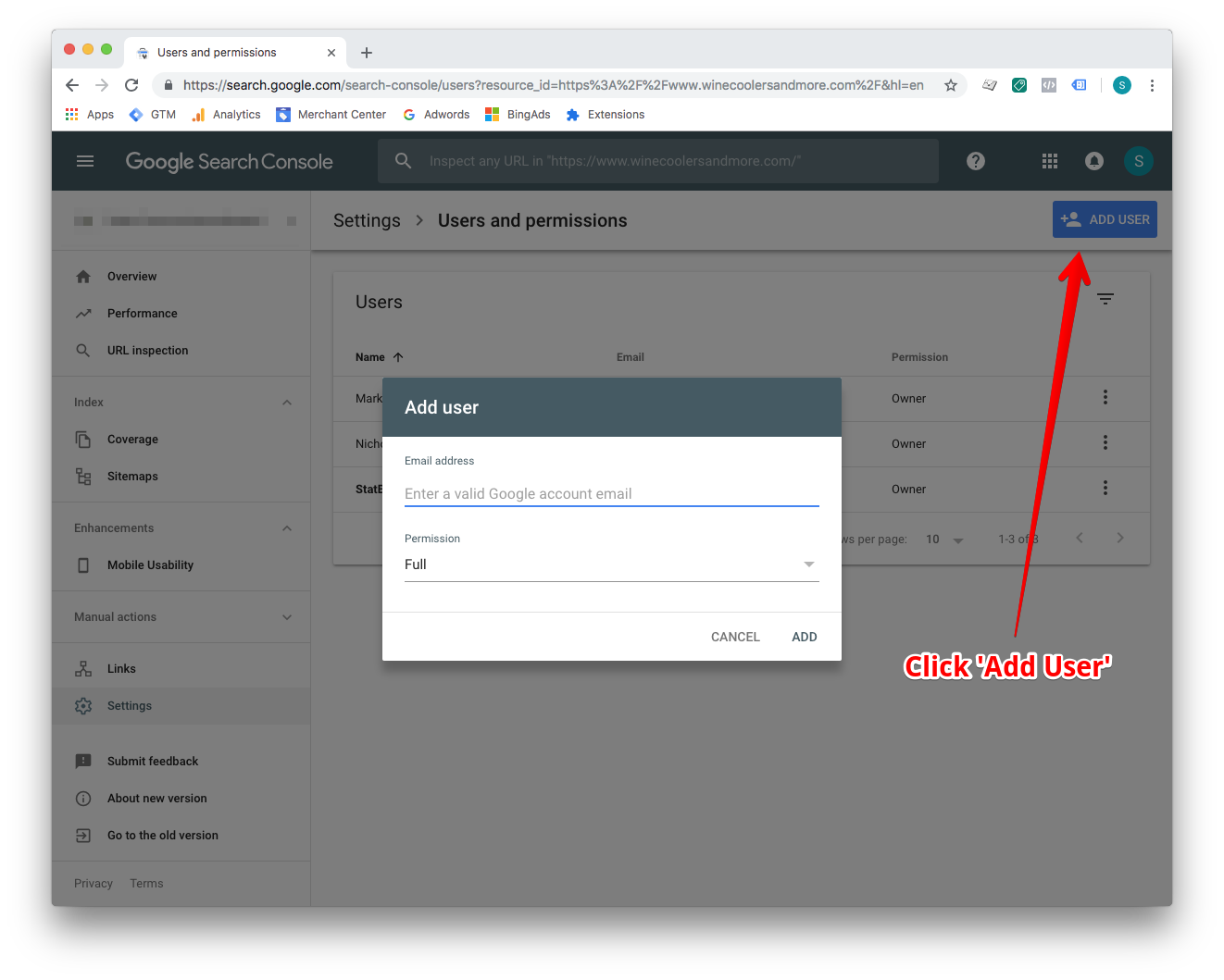
- Click on the Add User button.
- Enter the email address analytics@statbid.com with full permission.
- Select Add.
Questions? Reach out to your account manager, or email analytics@statbid.com.