← Back to Customer Resources
Uploading a Customer Match List in Google Ads
You'll need access to the Google Ads account and an existing Customer Match list to complete these steps. If you don't see these options, ask whoever manages your account to complete these steps.
STEP 1
- Log in to your Google Ads Account.
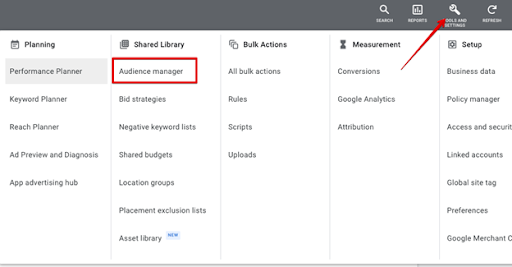
- To access the Customer Match List in Google Ads, go to Tools & Settings > Shared Library > Audience Manager.
STEP 2
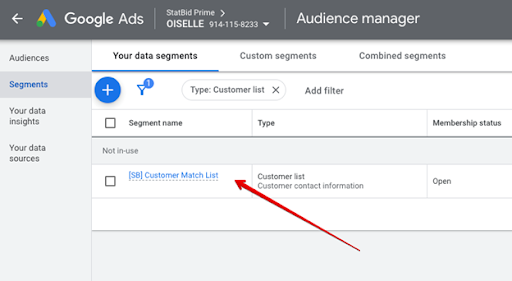
- Select the Customer Match List you want to edit or add to.
STEP 3
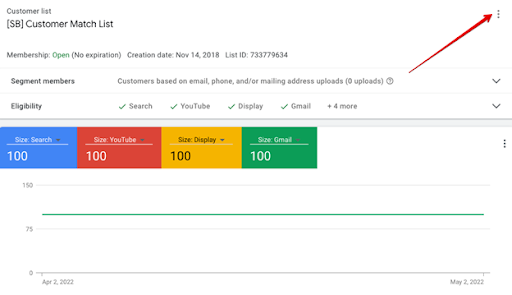
- Select Edit List. You'll get a prompt to edit your list based on contact information.
- From here you can choose to add more customers.
- Create a CSV file based on the defined list and upload from there.
Questions? Reach out to your account manager, or email analytics@statbid.com.