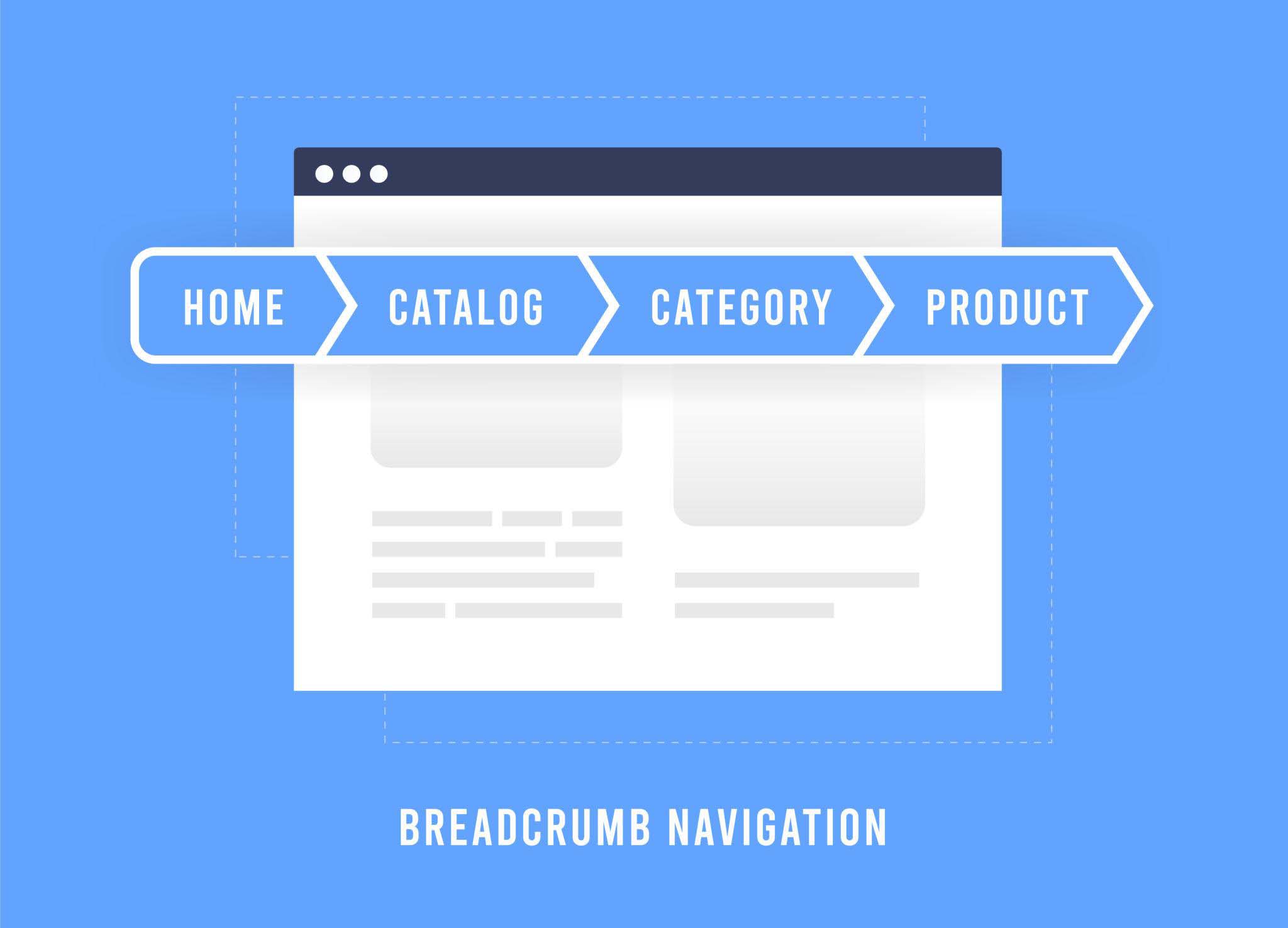

At StatBid we spend a lot of time improving Shopify site structure, and one of the most overlooked opportunities we see across stores is breadcrumb navigation. Breadcrumbs are often treated as a simple design element, but in reality they play an important role in how users navigate your site, how search engines understand your catalog, and ultimately how well your pages perform in both search and conversion.
When breadcrumbs are implemented correctly, they help shoppers move through your catalog more easily, reinforce your site hierarchy for Google, and support stronger internal linking between related pages. When they are implemented poorly, or not implemented at all, they can create confusion for users and make it harder for search engines to understand how your products relate to your categories.
The challenge is that Shopify’s default breadcrumb behavior is limited and often inconsistent. In many cases, it breaks entirely once you fix product URLs, which is why this article is a natural follow-up to cleaning up Shopify product URLs. In this guide we will walk through why breadcrumbs matter, where Shopify falls short, and how to implement a reliable breadcrumb structure that works for both SEO and user experience.
Quick Fix Summary
If you are trying to solve this quickly, here is the simplest path forward:
Implement breadcrumb logic based on your main navigation
Add metafields for products that need precise breadcrumb control
Output breadcrumb schema so Google can understand your structure
Most Shopify stores can implement a basic version of this in under an hour and then refine over time.
Why Breadcrumbs Matter for Shopify Stores
Breadcrumbs provide value across user experience, conversion, and SEO. From a usability standpoint, they help visitors understand where they are within your catalog and allow them to move back to broader categories without relying on the back button. This becomes especially important when users land directly on product pages.
From a conversion perspective, breadcrumbs create natural pathways to continue browsing. A shopper who is not ready to purchase can quickly navigate into a category and explore similar products, which keeps them engaged and increases the likelihood of conversion.
From an SEO standpoint, breadcrumbs help search engines understand how your site is structured. They reinforce relationships between products and categories and create additional internal links to important collection pages. Google can also display breadcrumb paths in search results, which often improves click-through rates.
Because of this, breadcrumbs should be treated as a core structural element of your Shopify store rather than a secondary design feature.
Before and After Breadcrumb Example
To understand the impact, it helps to compare what Shopify does by default with an optimized approach.
Default Shopify Breadcrumb:
Home > Chlorine
Optimized Breadcrumb:
Home > Chemicals > Sanitizers > Chlorine
On product pages, the difference becomes even more important.
Default Behavior:
Breadcrumb changes depending on how the user arrived
Often missing for SEO traffic
Optimized Behavior:
Home > Chemicals > Sanitizers > Chlorine > Product Name
This consistency improves both usability and how search engines interpret your site structure.
The Problem With Breadcrumbs in Shopify
Shopify’s default breadcrumb behavior introduces several limitations that impact both usability and SEO. While it works in a basic sense, it does not provide the consistency or structure needed for more advanced catalogs.
On product pages, Shopify determines breadcrumbs based on the collection included in the URL. If a product is accessed through a collection, Shopify uses that collection to build the breadcrumb trail. This approach creates problems as soon as you begin to optimize your site for SEO.
The first issue is that best practice is to remove collection paths from product URLs so that each product has a single clean URL. Once you make that change, Shopify no longer has the collection context it relies on, and breadcrumbs often disappear or become incomplete.
The second issue is inconsistency. Even if you leave collection paths in place, the breadcrumb will change depending on how the user arrives at the page.
Example: Product Page Breadcrumb Issue
A customer browsing through a category might see:
Home > Pool Pumps > Hayward Super Pump
But a user arriving from Google or paid search may see:
Home > Hayward Super Pump
Or no breadcrumb at all.
Since Google primarily indexes the canonical version of the page without collection context, it often does not see meaningful breadcrumb structure. This creates both SEO and user experience issues.
Collection pages also lack proper hierarchy by default. Instead of showing a full path, Shopify typically displays only the current collection and the homepage. Blog content follows a similar pattern and often lacks meaningful breadcrumb structure altogether.
What Good Breadcrumbs Should Look Like
Effective breadcrumbs should reflect your top navigation and remain consistent regardless of how a visitor reaches a page. For product pages, this means assigning each product a primary category path. For collections, it means showing the full hierarchy. For blog content, it means including both the blog and category structure.
A simple way to visualize this structure looks like:
Home
↓
Chemicals
↓
Sanitizers
↓
Chlorine
↓
Product
This clarity benefits both users and search engines.
How to Fix Shopify Breadcrumbs
Fixing breadcrumbs in Shopify requires some customization, but it is very achievable. There are three primary approaches depending on your catalog complexity and how much control you need.
Approach 1: Navigation-Based Logic (Fastest to Implement)
This approach uses your menu structure to dynamically determine breadcrumb paths by matching products to collections in your navigation.
{% assign breadcrumb_collection = nil %}
{% for link in linklists.main-menu.links %}
  {% if link.type == 'collection_link' %}
    {% if product.collections contains link.object %}
      {% assign breadcrumb_collection = link.object %}
      {% break %}
    {% endif %}
  {% endif %}
  {% for child in link.links %}
    {% if child.type == 'collection_link' %}
      {% if product.collections contains child.object %}
        {% assign breadcrumb_collection = child.object %}
        {% break %}
      {% endif %}
    {% endif %}
    {% for grandchild in child.links %}
      {% if grandchild.type == 'collection_link' %}
        {% if product.collections contains grandchild.object %}
          {% assign breadcrumb_collection = grandchild.object %}
          {% break %}
        {% endif %}
      {% endif %}
    {% endfor %}
  {% endfor %}
{% endfor %}
Where to Add This Code
snippets/breadcrumbs.liquid
sections/main-product.liquid
templates/product.liquid
Then include it with:
{% render ‘breadcrumbs’ %}
This approach is quick to implement but may not always select the ideal category for products in multiple collections.
Approach 2: Metafield-Driven Breadcrumbs (Most Accurate and Scalable)
This approach gives you full control by assigning breadcrumb paths directly to each product.
Step 1: Create Product Metafields
Go to Settings → Custom Data → Products and create:
breadcrumb_level_1 (Collection reference)
breadcrumb_level_2 (Collection reference)
breadcrumb_level_3 (Collection reference)
Step 2: Populate the Metafields
Use Shopify admin for small catalogs or Matrixify for bulk updates.
ProductLevel 1Level 2Level 3Chlorine TabsChemicalsSanitizersChlorine
Step 3: Update Your Breadcrumb Code
<nav class="breadcrumb" role="navigation" aria-label="breadcrumbs">
  <ol class="breadcrumb-list">
    <li class="breadcrumb-item"><a href="/">Home</a></li>

    {% assign level_1 = product.metafields.custom.breadcrumb_level_1.value %}
    {% assign level_2 = product.metafields.custom.breadcrumb_level_2.value %}
    {% assign level_3 = product.metafields.custom.breadcrumb_level_3.value %}

    {% if level_1 %}
      <li class="breadcrumb-separator" aria-hidden="true">›</li>
      <li class="breadcrumb-item">
        <a href="{{ level_1.url }}">{{ level_1.title }}</a>
      </li>
    {% endif %}
    {% if level_2 %}
      <li class="breadcrumb-separator" aria-hidden="true">›</li>
      <li class="breadcrumb-item">
        <a href="{{ level_2.url }}">{{ level_2.title }}</a>
      </li>
    {% endif %}
    {% if level_3 %}
      <li class="breadcrumb-separator" aria-hidden="true">›</li>
      <li class="breadcrumb-item">
        <a href="{{ level_3.url }}">{{ level_3.title }}</a>
      </li>
    {% endif %}

    <li class="breadcrumb-separator" aria-hidden="true">›</li>
    <li class="breadcrumb-item" aria-current="page">
      {{ product.title }}
    </li>
  </ol>
</nav>
This ensures consistent, accurate breadcrumbs regardless of entry point.
Approach 3: Hybrid Approach (Recommended)
This combines automation with control and is what we typically implement.
How It Works
Use metafields if available
Fall back to navigation logic if not
{% if product.metafields.custom.breadcrumb_level_1 %}
  <!-- Use metafields -->
  {%- assign level_1 = product.metafields.custom.breadcrumb_level_1.value -%}
  {%- assign level_2 = product.metafields.custom.breadcrumb_level_2.value -%}
  {%- assign level_3 = product.metafields.custom.breadcrumb_level_3.value -%}

  <nav class="breadcrumb" role="navigation" aria-label="breadcrumbs">
    <ol class="breadcrumb-list">
      <li class="breadcrumb-item"><a href="/">Home</a></li>
      {% if level_1 %}
        <li class="breadcrumb-separator" aria-hidden="true">›</li>
        <li class="breadcrumb-item">
          <a href="{{ level_1.url }}">{{ level_1.title }}</a>
        </li>
      {% endif %}
      {% if level_2 %}
        <li class="breadcrumb-separator" aria-hidden="true">›</li>
        <li class="breadcrumb-item">
          <a href="{{ level_2.url }}">{{ level_2.title }}</a>
        </li>
      {% endif %}
      {% if level_3 %}
        <li class="breadcrumb-separator" aria-hidden="true">›</li>
        <li class="breadcrumb-item">
          <a href="{{ level_3.url }}">{{ level_3.title }}</a>
        </li>
      {% endif %}
      <li class="breadcrumb-separator" aria-hidden="true">›</li>
      <li class="breadcrumb-item" aria-current="page">
        {{ product.title }}
      </li>
    </ol>
  </nav>
{% else %}
  <!-- Use navigation logic -->
  {% assign breadcrumb_collection = nil %}
  {% for link in linklists.main-menu.links %}
    {% if link.type == 'collection_link' %}
      {% if product.collections contains link.object %}
        {% assign breadcrumb_collection = link.object %}
        {% break %}
      {% endif %}
    {% endif %}
    {% for child in link.links %}
      {% if child.type == 'collection_link' %}
        {% if product.collections contains child.object %}
          {% assign breadcrumb_collection = child.object %}
          {% break %}
        {% endif %}
      {% endif %}
    {% endfor %}
  {% endfor %}

  <nav class="breadcrumb" role="navigation" aria-label="breadcrumbs">
    <ol class="breadcrumb-list">
      <li class="breadcrumb-item"><a href="/">Home</a></li>
      {% if breadcrumb_collection %}
        <li class="breadcrumb-separator" aria-hidden="true">›</li>
        <li class="breadcrumb-item">
          <a href="{{ breadcrumb_collection.url }}">
            {{ breadcrumb_collection.title }}
          </a>
        </li>
      {% endif %}
      <li class="breadcrumb-separator" aria-hidden="true">›</li>
      <li class="breadcrumb-item" aria-current="page">
        {{ product.title }}
      </li>
    </ol>
  </nav>
{% endif %}
This allows you to launch quickly and refine over time.
Adding Breadcrumb Schema Markup
Once breadcrumbs are consistent, you should add structured data so Google can understand your hierarchy more clearly.
<script type="application/ld+json">
{
  "@context": "https://schema.org",
  "@type": "BreadcrumbList",
  "itemListElement": [
    {
      "@type": "ListItem",
      "position": 1,
      "name": "Home",
      "item": "{{ shop.url }}"
    }
    {%- assign pos = 1 -%}

    {%- assign level_1 = product.metafields.custom.breadcrumb_level_1.value -%}
    {%- assign level_2 = product.metafields.custom.breadcrumb_level_2.value -%}
    {%- assign level_3 = product.metafields.custom.breadcrumb_level_3.value -%}

    {%- if level_1 -%}
      {%- assign pos = pos | plus: 1 -%}
      ,{
        "@type": "ListItem",
        "position": {{ pos }},
        "name": {{ level_1.title | json }},
        "item": "{{ shop.url }}{{ level_1.url }}"
      }
    {%- endif -%}
    {%- if level_2 -%}
      {%- assign pos = pos | plus: 1 -%}
      ,{
        "@type": "ListItem",
        "position": {{ pos }},
        "name": {{ level_2.title | json }},
        "item": "{{ shop.url }}{{ level_2.url }}"
      }
    {%- endif -%}
    {%- if level_3 -%}
      {%- assign pos = pos | plus: 1 -%}
      ,{
        "@type": "ListItem",
        "position": {{ pos }},
        "name": {{ level_3.title | json }},
        "item": "{{ shop.url }}{{ level_3.url }}"
      }
    {%- endif -%}
    {%- assign pos = pos | plus: 1 -%}
    ,{
      "@type": "ListItem",
      "position": {{ pos }},
      "name": {{ product.title | json }},
      "item": "{{ shop.url }}{{ product.url }}"
    }
  ]
}
</script>
How to Test
Enter your URL
Confirm BreadcrumbList is detected
Troubleshooting Common Issues
If breadcrumbs are not working correctly:
Products may not be in the right collections
Navigation may not match intended hierarchy
Incorrect menu handle may be used
Code may not be in the correct template
When Breadcrumbs Break Most Often
Breadcrumb issues typically appear after removing collection URLs, expanding catalogs, redesigning navigation, or switching themes. These changes often expose Shopify’s default limitations.
Why This Fix Is Worth Implementing
Breadcrumbs are one of the most important structural elements on a Shopify site, yet they are often left in their default state. Improving them creates a better navigation experience, strengthens internal linking, and provides clearer signals to search engines.
When combined with clean URLs and structured data, breadcrumbs become a powerful part of your SEO foundation.
At StatBid we have implemented breadcrumb solutions like this for many Shopify merchants. If you are dealing with inconsistent breadcrumbs, complex category structures, or a large catalog, we can help implement this solution and handle the data work required to get it right.