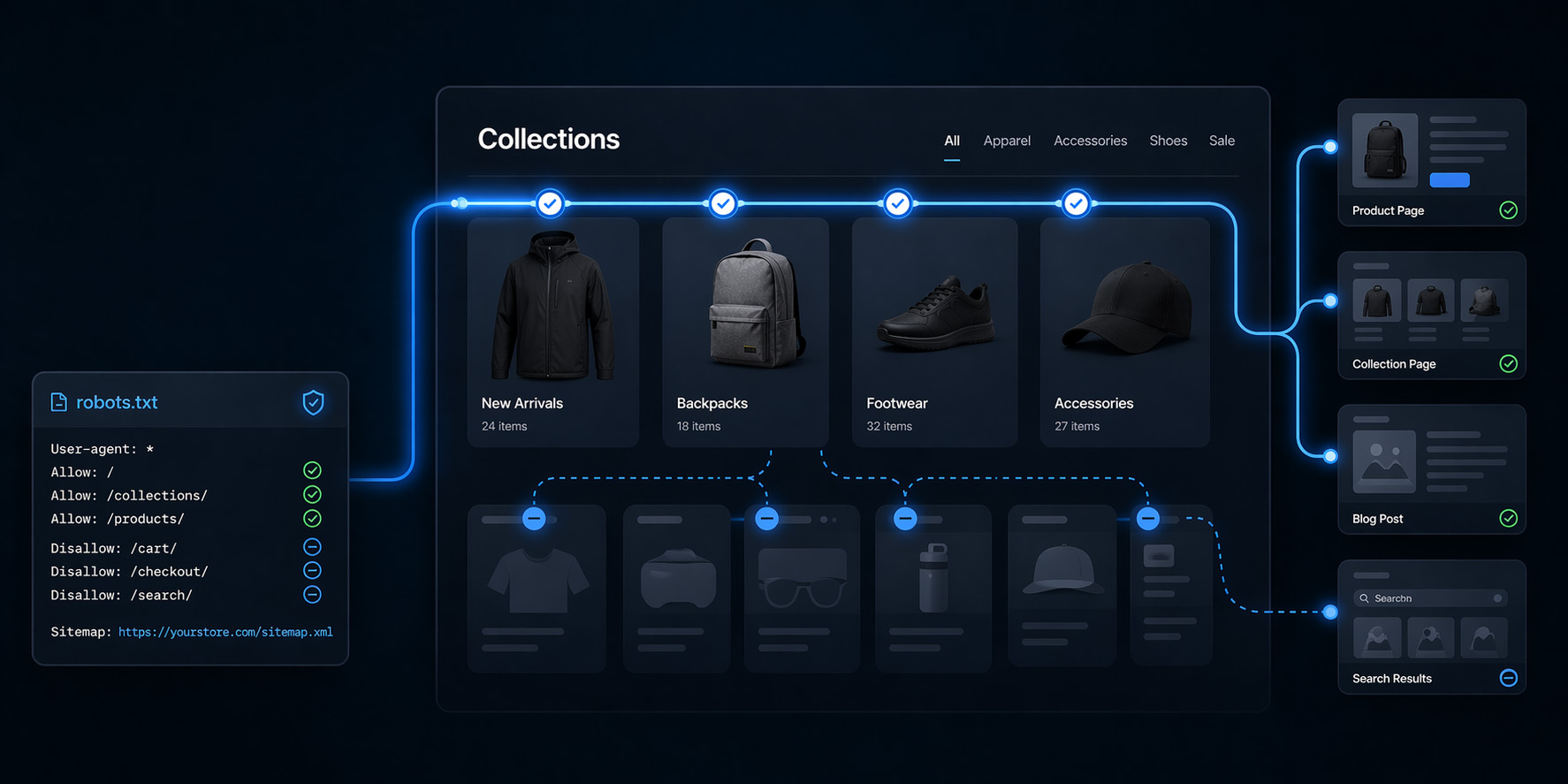

Most Shopify stores should never touch their robots.txt file. When you do need to, it is usually because something is already starting to break at scale.
Shopify has put a lot of thought into the default configuration, and for smaller or simpler stores it works well out of the box. The issues tend to show up as a site grows. As catalogs expand, filters multiply, and apps introduce new URL patterns, you can end up with thousands of low-value URLs competing for attention. At that point, search engines begin spending time in the wrong places instead of focusing on product, category, and content pages that actually drive revenue.
That is where robots.txt becomes relevant. It is not a growth lever, but it is a way to guide crawl behavior and reduce inefficiencies that quietly hold performance back.
What Robots.txt Actually Does (And What It Does Not Do)
Robots.txt is fundamentally a crawl control mechanism. It tells search engine bots which URLs they should or should not request, helping shape how your site is explored. It does not, however, reliably control indexing. If a blocked page is linked from elsewhere, search engines may still index the URL without ever crawling its content.
That distinction matters more than most people realize. If your goal is to remove something from search results, robots.txt is usually not the right tool. In those cases, you are better off using noindex directives or addressing the root cause through site structure and canonicalization.
In practice, robots.txt should be viewed as a way to improve crawl efficiency, not as a fix for deeper SEO issues.
When You Should Modify Robots.txt in Shopify
In most cases, we do not touch robots.txt. It is not where the biggest opportunities are, and it is easy to introduce risk if you are not careful. That said, there are situations where it becomes a meaningful lever.
The most common signal is crawl inefficiency. You may start to see large volumes of parameterized URLs being crawled, search result pages appearing in reports, or important pages not being revisited as often as they should be. These issues tend to build gradually, especially on larger stores, and they are easy to miss until performance starts to plateau.
At that point, the problem is not that your site lacks content or authority. It is that search engines are spending too much time exploring noise instead of focusing on the pages that matter. When that happens, robots.txt becomes a targeted way to improve how your site is crawled.
At StatBid, we typically only make these changes after identifying clear patterns in Google Search Console and URL behavior. It is never a default optimization. It is a response to a specific, measurable issue.
When You Should NOT Modify Robots.txt in Shopify
It is just as important to know when to leave robots.txt alone. If your store is relatively small or does not generate many parameterized URLs, modifying it is unlikely to have any meaningful impact. In those cases, your time is far better spent on content, internal linking, and improving conversion.
Robots.txt is also not the right tool for fixing indexing issues. Blocking a page does not remove it from search results and can sometimes make problems harder to diagnose. If pages are appearing in search that should not be, the solution typically lies in noindex directives, canonical tags, or improvements to site structure.
One of the simplest rules we use is this: if you cannot point to a specific set of URLs that are wasting crawl activity, you should not modify robots.txt. Many stores make changes based on general advice rather than actual data, and that often creates unnecessary complexity without improving performance.
How to Modify Robots.txt in Shopify
Shopify handles robots.txt through a Liquid template called robots.txt.liquid. This approach allows you to extend Shopify’s default configuration rather than replacing it entirely, which is almost always the safer path.
Start by opening your theme editor through Online Store > Themes and selecting Edit code. Inside the Templates folder, you can create or edit a file named robots.txt.liquid. If the file does not exist, creating it will activate your custom configuration.
From there, the most important step is preserving Shopify’s default rules. These are exposed through the robots object, and they should be output before you add any custom logic.
{% for group in robots.default_groups %}

 {{- group.user_agent -}}

 {% for rule in group.rules %}

   {{- rule -}}

 {% endfor %}

 {%- if group.sitemap != blank -%}

   {{ group.sitemap }}

 {%- endif -%}

{% endfor %}
Once the defaults are in place, you can layer in targeted rules. The key is to keep these changes minimal and focused on solving a specific problem.
Disallow: /search
Disallow: /*?*filter*
Disallow: /*?*sort_by*
After saving, review the output at yourdomain.com/robots.txt and confirm that everything looks correct before monitoring results.
A Real Example: How We Approach Robots.txt on a Shopify Store
To make this more concrete, it helps to look at how this actually works on a real site. On the site MyBinding.com which recently moved from Magento to Shopify, the primary challenge is not lack of content but the sheer number of possible URL variations. With a large catalog and multiple filtering options, it is easy for URLs to multiply quickly and create unnecessary crawl noise.
The goal in this situation is not to aggressively block everything, but to remove obvious inefficiencies while preserving valuable entry points. A simplified version of what that might look like is below.
{% for group in robots.default_groups %}

 {{- group.user_agent -}}

 {% for rule in group.rules %}

   {{- rule -}}

 {% endfor %}

 Disallow: /search

 Disallow: /*?*filter*

 Disallow: /*?*sort_by*

 Disallow: /*?*view=*

 Allow: /policies/

 {%- if group.sitemap != blank -%}

   {{ group.sitemap }}

 {%- endif -%}

{% endfor %}
There is nothing particularly complex about this setup. The value comes from aligning crawl behavior with how the site actually functions, rather than letting search engines explore every possible variation.
How to Monitor Crawl Efficiency in Google Search Console
Making changes to robots.txt without monitoring the impact is one of the most common mistakes. The real value comes from understanding whether those changes actually improve crawl behavior over time.
Start by reviewing the Crawl Stats report in Google Search Console under Settings → Crawl Stats. This report shows how often your site is being crawled and what types of URLs are being requested. If a large portion of crawl activity is focused on parameterized or search-based URLs, that is a strong signal that search engines are spending time in the wrong areas. In some cases, we have seen 30 to 50 percent of crawl requests going to low-value pages.
Next, take representative examples of these URLs and run them through URL Inspection. If you consistently see statuses like “crawled but not indexed” or “discovered but not indexed,” those pages are likely consuming crawl resources without contributing to performance.
After implementing changes, compare behavior over time. You should begin to see a shift in crawl distribution, with less activity on low-value URLs and more consistent crawling of product, category, and content pages. This shift will not happen overnight, but the trend should become clear.
Finally, tie this back to performance. Monitor product page impressions, category rankings, and crawl frequency on key templates. If important pages are being crawled more consistently, you are moving in the right direction.
Common Reasons to Modify Robots.txt in Shopify
Most robots.txt changes are driven by the need to reduce noise and improve focus. Filtered and parameterized URLs are one of the biggest contributors to crawl inefficiency, as each combination can create a new URL with little additional value. Blocking specific patterns can help direct crawl activity toward more important pages.
Disallow: /*?*filter*
Disallow: /*?*sort_by*
At the same time, this is where many people make mistakes. We have seen store owners attempt to block all query parameters, which can break important functionality. Shopify relies on parameters for pagination, and blocking them can prevent search engines from accessing large portions of the product catalog. The right approach is to block specific patterns, not all parameters.
Another common use case comes after a migration. In one situation, a client had thousands of legacy URLs suddenly appearing as 404 errors in Search Console. These URLs were never valuable, but search engines continued to crawl them. By blocking those patterns, we were able to reduce unnecessary crawl activity and allow the new site structure to take priority.
App-generated issues are another scenario. In one case, an app was appending a ?key= parameter to certain URLs, which interfered with canonical tags and caused duplicate content issues. Since the app could not be fixed immediately, blocking those URLs was the most practical solution.
Disallow: /*?key=
Finally, Shopify blocks policy pages by default. In some cases, it makes sense to allow them, particularly if they support trust or have the potential to rank for informational queries.
Allow: /policies/
What Actually Moves the Needle
It is important to keep robots.txt in perspective. These changes improve efficiency, but they do not drive growth on their own. Strong content, clear site structure, and authority remain the primary drivers of SEO performance.
Where robots.txt helps is on larger sites where crawl inefficiencies start to limit how often important pages are revisited. By reducing noise, you allow search engines to spend more time on the pages that matter, which can support better indexing and more consistent updates.
Mistakes to Avoid
The most common mistake is treating robots.txt as a shortcut for solving deeper SEO issues. Blocking pages does not fix duplication or improve content quality. In many cases, it simply hides the problem.
Overly aggressive parameter blocking is another frequent issue. Blocking all query parameters can unintentionally prevent important pages from being crawled, especially in Shopify where parameters are used for pagination and other core functionality.
Making changes without reviewing crawl data is also risky. Without understanding how your site is currently being crawled, it is difficult to know whether your changes are helpful or harmful.
Wildcard rules can expand further than expected and block more URLs than intended, which is another common source of issues. Replacing Shopify’s default file entirely is also an unnecessary risk in most cases.
Finally, failing to monitor the impact of changes defeats the purpose. Robots.txt should evolve with your site, and changes should always be validated over time.
Final Thoughts
Robots.txt is not where most Shopify stores will win, but on the wrong site, it is exactly where things quietly go wrong.
The goal is not to control everything. It is to remove obvious inefficiencies and let search engines do their job. When used correctly, robots.txt becomes a supporting piece of a much larger SEO strategy.
If you are going to modify it, do it with a clear purpose and measure the outcome. And if you are not sure, it is usually better to leave it alone.
At StatBid, we work with Shopify merchants every day to improve crawl efficiency, content strategy, and overall SEO performance. If you are thinking about making changes to your robots.txt file or trying to better understand how search engines are interacting with your site, we are always happy to help.