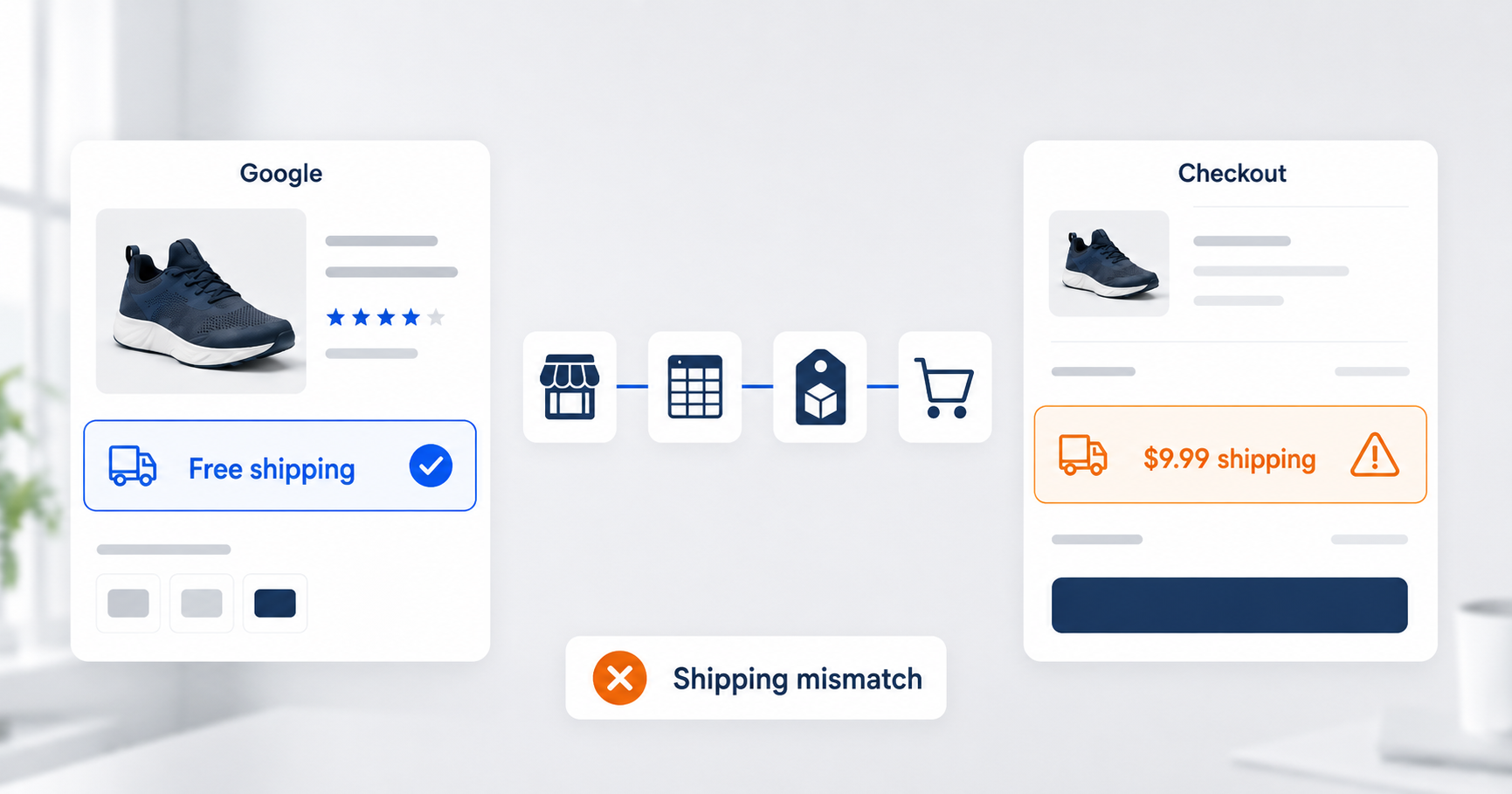

A batch of products gets disapproved for “inaccurate shipping costs.” Or a shopper sees one total on Google, clicks through, and gets a different one at checkout. Same root problem either way: Merchant Center promised a number your store didn’t keep.
Google enforces the promise directly. Its bots follow your product links, read the page, and compare price, availability, and shipping cost against what your feed and account settings claim. When the numbers disagree, items get flagged, and enough flags can pull a real chunk of your catalog out of Shopping placements. The disapprovals aren’t even the expensive part. A shopper who hits checkout and finds a higher total than Google showed mostly just leaves, so an understated shipping cost buys you clicks that were never going to convert. You paid for those.
Merchant Center Is a Mirror, Not a Decision-Maker
The source of truth for what a customer pays is your store and its checkout. Merchant Center’s job is to reflect that. Nearly every consistency problem we work on is drift between the two, not either one being “wrong” on its own.
That framing changes where you fix things. When Google shows a wrong shipping cost, the tempting move is to nudge what Merchant Center displays until the complaint stops. The durable move is to find which link in the chain disagrees with your checkout and fix that link. Product data flows from the store, through a feed tool, into Merchant Center, with account-level settings layered on top. Drift can get in anywhere along that path.
Where the Drift Comes From
Three patterns cover most of the shipping mismatches we see:
- Stale account settings. Shipping rates get configured in Merchant Center once, usually at setup, and then the business moves on: carrier rates go up, the free-shipping threshold changes in Shopify, oversized items pick up a surcharge. Updating Merchant Center when shipping policy changes is nobody’s job, so it doesn’t happen.
- Feed-level overrides. The shipping attribute in a product feed overrides your account-level settings (we’ve written about this before- it’s on our short list of fields that shouldn’t be in your feed unless someone is actively managing them). A feed template that fills in shipping values nobody is watching will outvote the settings someone actually keeps current.
- Schema markup that disagrees with the page. Google’s bots mostly read your product page’s structured data, not the visible text. A page can display the right price and shipping while its markup says something else- usually a theme update or an app rewrote the markup and nobody noticed. Every human who checks the page sees it’s fine. Every bot sees that it isn’t.
How We Isolate a Mismatch
When a mismatch disapproval lands, the question is always the same: where along the chain does the value stop being right? We check the same value in five places, in order:
- What the website visibly displays
- What the page’s schema markup says (validator.schema.org will read it for you)
- What Google’s crawler reported finding
- What the feed currently carries, in whatever tool sits between store and Google
- What Merchant Center itself currently holds
Run five or ten affected products through those checks and the pattern usually gives itself away:
- Website and markup agree but the feed is stale? Propagation delay or broken sync.
- Website disagrees with its own markup? Theme or app problem.
- Everything agrees except what the crawler saw? Check the links- a link landing on the wrong variant makes a correct price look wrong.
Each pattern points at a different fix, which is the whole reason to isolate before acting.
Then fix as close to the source as you can, so the correction propagates down the chain instead of patching one endpoint. Editing values directly in Merchant Center is the genuine last resort- an edit there overrides every other input and keeps fighting your feed long after everyone’s forgotten it exists. One more habit worth stealing: we don’t push feed changes on the last day of anyone’s work week. Internally, we jokingly call this the “Flicker Friday Rule,” since everyone hears me repeat it ad nauseam every time we’re discussing major changes. A feed change that goes sideways can take a whole catalog offline, and you don’t want to discover that on Saturday.
Setting Shipping Costs: Carrier Rates First
Whenever your store charges carrier-calculated rates, the default answer should be Merchant Center’s carrier rate option (available for the US, UK, Germany, and Australia). You pick the carrier and service you actually ship with- UPS Ground, FedEx Home Delivery, USPS Priority Mail, and so on- give it your origin zip code, and Google calculates each product’s shipping cost from the carrier’s current rate tables. When the carrier changes rates, Google’s numbers update on their own.
That auto-updating is the point. The biggest drift pattern we see is settings that were right at setup and wrong a year later, and carrier rates remove that whole failure class. The requirements:
- Your feed needs shipping_weight and the shipping dimension attributes (shipping_length, shipping_width, shipping_height)
- Google uses commercial rates (“Daily” for UPS, “Standard” for FedEx)- if you charge customers retail rates, adjust upward (Google suggests 50-60%)
- If you have negotiated carrier discounts, adjust down by a percentage or flat amount to match what you actually charge
Note the requirements are themselves feed data: carrier rates only stay accurate if your shipping weights and dimensions do. That’s one more argument for the fix-at-source rule, since those values should come from your product data, not be invented in the feed layer.
When carrier rates don’t fit- flat-rate shipping, free-over-threshold, countries the option doesn’t cover- configure account-level settings to match your store policy as closely as the options allow, and keep feed-level overrides for genuine exceptions (oversized, fragile). If you can’t be exact, slightly overestimate. The overestimate costs a little competitiveness in the comparison; the underestimate costs the disapproval and the abandoned checkout. Easy call.
For complex carrier setups, a working session beats a settings audit. We’ve gotten on calls with a client’s ops team and walked the Merchant Center shipping configuration line by line against what their carriers actually charge. That hour reliably surfaces drift the diagnostics never flagged.
What About Tax?
Quick disclaimer: this is general business guidance, not tax advice- for anything touching what you owe or where, talk to a certified tax professional.
The Merchant Center side of this question mostly evaporated in 2025. As of July 1, 2025, Google no longer accepts US sales tax settings or the tax attribute in Merchant Center at all- Google estimates tax from the shopper’s location now. If your checklist still includes configuring GMC tax tables, cross that line off; the work doesn’t exist anymore.
What’s left is the same consistency principle pointed at your checkout. The tax a customer actually pays comes from your store’s tax setup and whatever tax solution sits behind it, and that’s where accuracy lives now. Merchant Center stopped asking. Your customers and your state tax authorities have not.
Consistency Is the Cheapest Trust You Can Buy
Shipping, price, and availability are the three promises every Shopping ad makes, and Google checks all three against your store on a schedule you don’t control. Keeping them consistent is cheap:
- Use carrier rates wherever they match how you actually charge, so the numbers update themselves
- Review the remaining settings when shipping policy changes, not when something breaks
- Run the five-point check when a mismatch shows up
- Fix things at the source instead of patching them in Merchant Center
In return your catalog stays eligible and shoppers find the total they were promised- which is the version of trust that shows up directly in conversion rate.