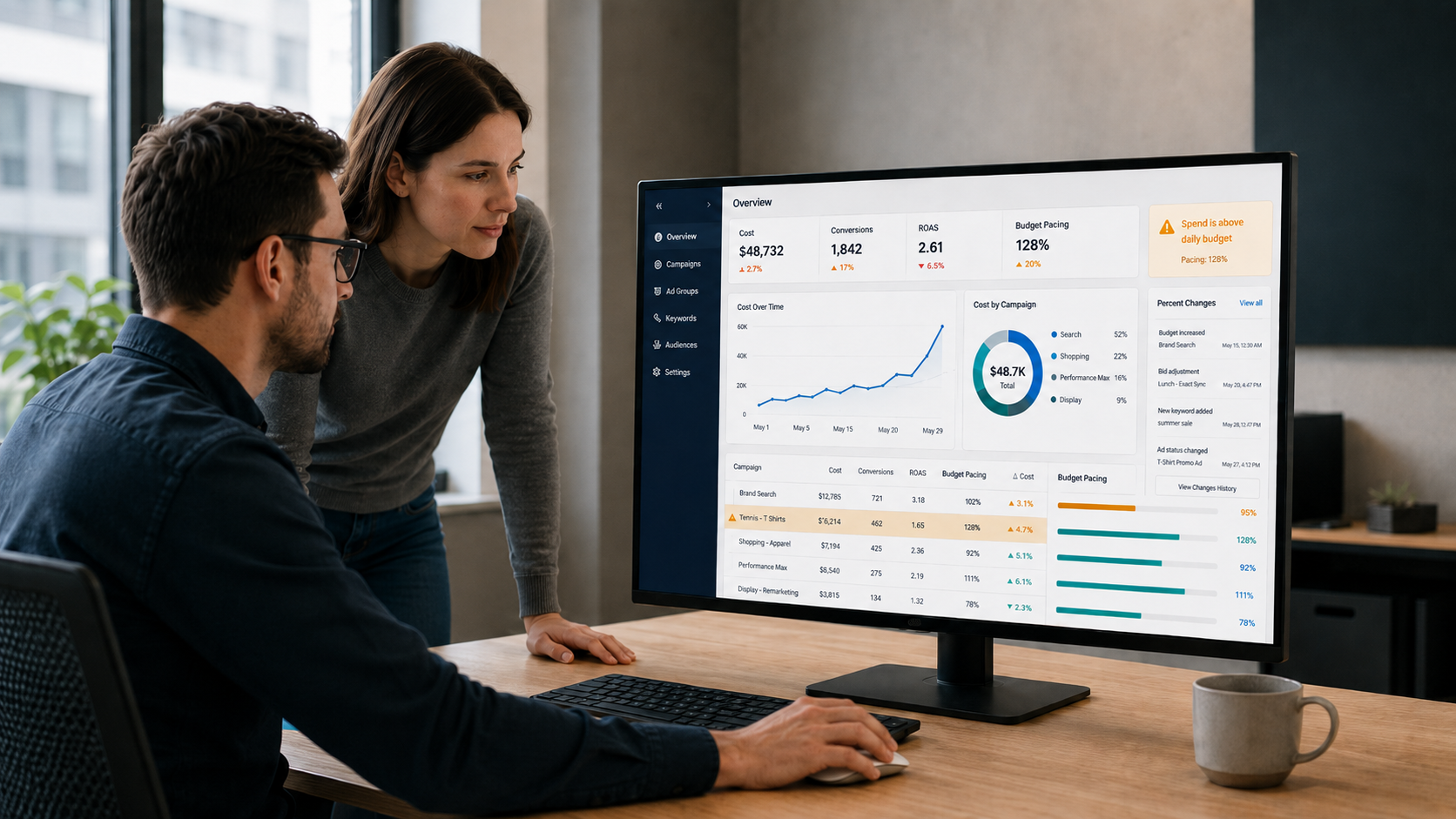

When the daily spend in a mature Google Ads account jumps unexpectedly, or the month is on track to blow past its budget, panic might lead you to start pausing campaigns that have been proven profit-generators in the past. That is almost always premature. Pausing without a diagnosis trades an overspend problem for a revenue problem, and the underlying cause stays hidden either way.
Overspend has a finite list of causes. Most are resolvable inside an hour or two when the investigation is run in the right order, and the majority can be diagnosed entirely from the campaign view and a changelog, before any bid changes are necessary.
What “Overspend” Actually Means
The word is used to describe two distinct problems: efficiency problems, or budget problems. They have different causes and different responses, and the first useful step in any investigation is identifying which one you’re dealing with.
Efficiency overspend is a performance problem. ROAS has worsened compared to the campaign’s target, which means each dollar spent is generating less revenue than the campaign’s economics support. Spend pacing may be entirely on track with the budget you’ve set, but the quality of that spend is poor. The detection method is easy: compare actual ROAS and the target ROAS (even if it’s an “unofficial” target ROAS using a different bidding strategy).
This can get a little complicated. Ideally, you want to segment by conversion time so that conversion lag isn’t masking any variance. If the ROAS is worse than target for three consecutive days, investigate more deeply. If a single day shows a notable jump in average CPC or total cost, investigate immediately without waiting for the third day. Investigating every short-term miss costs the time you need for valuable expansion and creation work, so reserve deeper diagnosis for sustained moves.
Budget overspend is different. It’s usually a pacing problem. ROAS may be on target while the account or campaign is on track to exceed the spend you planned for the month. The detection method is linear pacing: on day 15 of a 30-day month, total spend should be roughly 50% of the monthly budget (assuming you’re not dealing with any promotions or seasonality, in which case you need to apply that weighting to your pace curve). Black Friday, planned sales, large email blasts, and so on will not follow a linear curve, and the pacing expectation should be adjusted accordingly. Any meaningful overage worth investigating is one that doesn’t self-correct within a day or two, and the fix when everything looks great but the campaign is still spending more than you want is to simply adjust the budget down.
One important nuance on the daily-budget side: Google can spend up to 2x a campaign’s daily budget on any given day when it sees a high-traffic opportunity, then compensates by spending less on other days. Over the course of a month, Google aims to keep total spend at or below the daily budget multiplied by the days in the month. A $100/day campaign that spends $200 on a Tuesday is not necessarily malfunctioning, and that day is not, by itself, an overspend event unless the performance was poor. (Note: Microsoft Ads does not usually exhibit the same intra-day overshoot behavior.)
Given these two possibilities, we’ll spend more time focused on diagnosing efficiency overspend, because the diagnostic tree is deeper. Unlike oft-tricky efficiency problems, pacing problems usually resolve into either a budget that needs to be revised or an efficiency problem in disguise.
Step 1: Locate the “Efficiency Overspend”
The first task is to narrow the source as far as possible. “Spend is up across the account” is not a useful finding. You need to go deeper and find actionable intelligence. From an account-level overage, if you segment your campaigns by tier or category (Brand vs Non-Brand or Shopping vs PMax, for example), identify which group is responsible. Within that group, identify the campaign or campaigns driving the majority of the overspend, and focus your attention there first. Then, where the data supports it, you can narrow further into a particular ad group, product subset, day of week, device, geography, or specific keywords.
The narrower the surface area, the more obvious the underlying cause tends to become. Practitioners who skip this step and jump directly to bid or budget adjustments tend to change the wrong thing, or “throw the baby out with the bathwater” by changing too many things at once, instead of the narrow intervention that would have delivered the best result.
A note on baselines: this entire diagnostic flow applies to accounts that were previously performing at or near target and are now off their game. Brand-new campaigns and accounts that have never hit their targets are a different category of problem. Those situations call for tuning, setup, expansion, or market-fit work, rather than the recovery diagnostic this article describes, and almost certainly require a different approach.
Step 2: Identify What Changed
The math has already told you the symptom: cost is too high relative to conversion value. That means either CPCs increased, conversion value per click (VPC) decreased, or both. The next question is always the same: what changed since you last saw good performance?
When CPCs Have Increased
We recommend investigating causes in this order, to prevent wasting time on less-likely or more-time-consuming causes:
Was the ROAS target changed? A lower tROAS asks the algorithm to be less efficient with spend, which will usually directly raise CPCs.
Was the bid strategy changed? Switching a campaign from Manual CPC to Maximize Conversion Value, or from a tROAS strategy to Maximize Conversions, can dramatically change spend behavior even when no other settings appear different. Bid strategy changes are sometimes triggered by Google’s recommendations, sometimes by an account manager, and occasionally by an inherited setting after a campaign copy. Check the campaign’s bid strategy history.
Did a seasonality adjustment recently start, or recently end? Both are frequent causes, and both are easy to miss.
For manually bid campaigns, were any bids adjusted recently?
Was an auto-applied recommendation accepted recently? Google’s auto-apply settings can modify bidding, broaden audiences, expand targeting, or accept other changes without anyone in the account taking explicit action. The auto-apply log is the first place to look when nothing else explains the change.
Were AI Max or audience expansion settings turned on (or left on by default) at the campaign or ad group level? These can broaden the audience well beyond what was originally configured, which raises spend without raising performance. For a more detailed guide on how to use (and test!) AI Max, check out our blog article “Google’s Biggest Search Update in Years, and We’re Not Sure It Works“.
Check the less-obvious settings: device modifiers, audience modifiers, location modifiers. These are rarely changed, which is exactly why a recent change to one is easy to forget about.
Check whether Search Partners or the Display Network are enabled on a Search campaign that was previously serving on Google Search alone. Both are on by default at campaign creation and can contribute low-value spend that doesn’t show up in the standard Search reporting.
If nothing obvious in the account has changed, the increase may be an algorithmic fluctuation, or actions taken by competitors in the relevant ad auctions. Before treating it that way, check whether the CPC increase followed a recent VPC increase. (See the rainshadow discussion below, or check out our full discussion of the topic.) Otherwise, narrow the spend further: was it Shopping, Search, or Display? A particular search theme or keyword? A single device or location? If you can, you always want to address the underlying problems, and make the campaign and ads stronger with better targeting, better copy, better segmentation, etc. Where no specific cause can be identified, the most easily available levers are to raise the campaign ROAS target, lower bids on manually bid campaigns, or apply a negative seasonality adjustment for 2-3 days while the algorithm normalizes.
When VPCs Have Dropped
Did conversion rate fall, or did AOV? Both produce the same effect on VPC, but each requires a different fix.
Did either drop all the way to zero? If so, treat the change as a tracking outage until proven otherwise. A tag misfiring, a recent GTM change, a consent-mode update, or an unrelated site deploy can all break attribution. Rule this out before you continue. On Shopify stores, also check for duplicate conversion firing from overlapping integrations and theme code, which can collapse just as suddenly when one of them is updated or removed.
Were the account’s conversion goals or primary conversion actions modified recently? Smart Bidding strategies react quickly to changes in which conversions they’re asked to optimize for. Promoting a secondary conversion to primary, or changing the conversion value model, will reshape bid behavior immediately.
Is the drop concentrated in a particular segment? It may be limited to specific products, search themes, or landing pages.
Did any other campaign change predate the drop (check the changelog again)?
If the campaign hasn’t changed, look for changes on the site: a promotion ending, a free-shipping threshold moving, a top-selling item going out of stock or being repriced.
If you can easily compare competitor prices or the live ads to see if changes in your competitive positioning have happened, look into that.
Look for external market changes that aren’t in the account at all: a top competitor launching a heavy promotion, a category-level seasonal shift, your product getting a mention in a podcast or social post that’s now over, news cycles that drove a spike of less-qualified traffic.
Once a probable cause has been identified, correct the bidding to halt the overspend first, before working to recover the lost VPC. Root-cause investigation can continue in parallel.
Performance Max Needs Its Own Chapter in the Playbook
PMax campaigns deserve a separate diagnosis because they can behave differently from Search and Shopping. Two things in particular matter:
First, Google is more aggressive about spending the full daily budget on a PMax campaign than on any other campaign type. A PMax campaign given a budget of 3x its intended daily spend will often actually spend close to that amount. The “2-3x of average daily spend” budget guideline that we’d recommend for most bid-limited campaigns does not apply to PMax. For PMax, the daily budget should sit close to the planned or proven-to-be-efficient daily spend level (roughly 1x to 1.25x). Treat the PMax budget as a spend target, not a safety cap. If a PMax campaign is overspending and the budget is comfortably above its historical actual spend, the budget itself is often the cause.
Second, PMax overspend tends to fall into two specific patterns. The first is what we call an “active hangover”: CPCs are flat or rising, ROAS has fallen well below target (often 60% or less), and the algorithm is continuing to bid aggressively on signals that no longer reflect current performance. The corrective action is to raise the campaign’s tROAS target meaningfully (typically 25-50% above its current value, sometimes more for extreme cases) to force the algorithm to seek cheaper auctions. For very low-budget PMax campaigns, combine the tROAS increase with a budget reduction; for larger campaigns, lead with tROAS and add a budget reduction only if the tROAS change isn’t working within 48 hours.
The second pattern is a “stop loss” situation: spend continues, but conversions have dropped to zero for three or more consecutive days. The corrective action there is to cut the budget by roughly 50% immediately, while maintaining a floor large enough to permit at least 10-15 clicks per day at the campaign’s current CPCs. This is risk mitigation. Once conversions resume at acceptable ROAS for two consecutive days, restore the budget gradually and turn attention back to optimization.
A few PMax-specific cautions. Portfolio bidding with max CPC caps does not apply to PMax (it works only on Search and Shopping). Seasonality adjustments are forward-looking only on PMax, the same as everywhere else, and cannot undo past algorithmic learning. Always work from day-level data when diagnosing PMax: a 7-day average COS of 48% can hide three days at 80% followed by four days at 30%, or vice versa, and the right corrective action depends on which one is happening.
Rainshadow Effects
For a full treatment on this topic, read our blog The Rain Shadow Effect: What Happens to Your Google Ads After the Sale Ends.
As a quick explanation, a “rainshadow” is the term we use for overspend that occurs when the bidding algorithm’s understanding of recent performance lags the actual current conditions. There are two common varieties.
The post-sale rainshadow happens when a promotion ends and conversion rate returns to baseline, but the algorithm, having been trained on a period of inflated CVR, continues to bid aggressively for several days afterward. CPC remains elevated, VPC has already returned to normal, and COS drifts off-target.
The unplanned-spike rainshadow happens when a one or two day surge in conversion value (a social media mention, a single very large order, a press hit) is misread by the algorithm as a new performance trend. The algorithm raises bids accordingly. The following day, with traffic and conversion behavior back to normal, those elevated bids cause significant overspend until the algorithm re-learns.
Don’t Overlook the Less Interesting Causes
Before assuming the cause is algorithmic, rule out the pedestrian explanations first: stale negative keyword lists in need of an update, placement inclusions or exclusions that have drifted, DSA targeting that has begun pulling in irrelevant pages such as blog content, location or audience expansions that were applied at some point and forgotten, Search Partners or Display Network toggles that were enabled at campaign creation and never reviewed, auto-applied recommendations that were accepted automatically, or a manual CPC bid entered with an extra zero. Conversion tracking sits on the same list, and on Shopify stores in particular it’s worth confirming that no second integration is double-counting purchases. If the conversion side of the equation is broken, every other diagnostic step is downstream of that.
When to Bring in Help
Most overspend events resolve once the source has been isolated and the cause identified. The cases that don’t tend to be the ones where multiple causes are stacked: a tracking issue that began during a sale, a seasonality adjustment that wasn’t closed out on time, an algorithm that has been bidding too aggressively for weeks without anyone noticing.
Auditing accounts for stacked causes is part of what StatBid does for clients. If account spend has moved unexpectedly and the cause isn’t apparent from a campaign-level review, we can help diagnose it. It is also a worthwhile conversation to have proactively, before an overspend event happens to land outside of working hours on a small team.